
Text Diff Checker Compare Two Texts Online Free
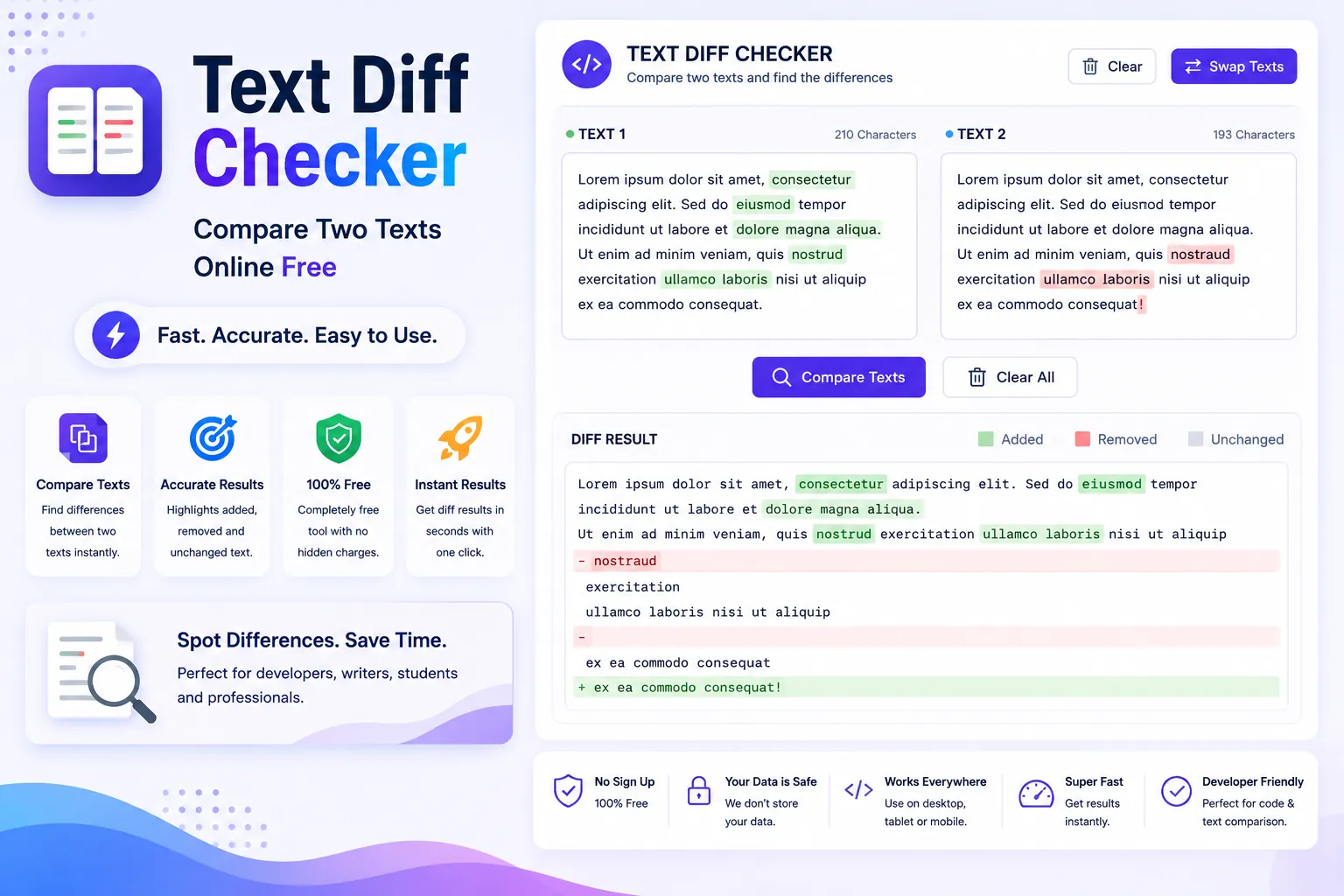
Paste two versions of any text and see exactly what changed. Highlights additions in green and deletions in red. Perfect for code review and editing.
About This Tool
Track Every Change Between Two Versions
Whether you're reviewing code changes, comparing document revisions, or checking if your essay matches the original, a diff checker is invaluable. It shows you exactly what changed line by line, word by word.
What Our Diff Checker Shows You
When you paste two texts, the tool compares them and highlights:
- Added content: Shown in green text present in the new version but not the old
- Removed content: Shown in red text present in the old version but deleted in the new
- Unchanged content: Shown in white/gray identical in both versions
- Modified lines: Partially changed content with specific word highlights
Common Use Cases
Developers: Review code changes without version control. Compare function implementations, configuration files, or API responses.
Writers and editors: See what changed between drafts. Track revisions from clients or editors.
Students: Compare your essay to sources to ensure proper paraphrasing.
Legal professionals: Review contract changes and track modifications between versions.
Smart Comparison Algorithm
Our diff checker uses the Myers diff algorithm the same algorithm used by Git and most version control systems. It finds the minimal set of changes between two texts, which means:
- Accurate results: Shows only meaningful differences
- Word-level comparison: Highlights individual words, not just lines
- Handles large texts: Compare documents up to 100KB
- Smart line matching: Recognizes moved blocks of text
Line by Line vs Word by Word
Our tool offers two comparison modes:
Line mode: Best for code and structured text. Shows which lines were added, removed, or changed.
Word mode: Best for prose and documents. Highlights individual word changes within sentences.
Switch between modes with one click to get the level of detail you need.
Private and Secure
Everything runs in your browser. Your texts are never uploaded to any server. This is especially important when comparing sensitive documents like contracts or proprietary code.
Frequently Asked Questions
Common questions about Text Diff Checker Compare Two Texts Online Free
01Can I compare code files?
02Is there a size limit?
03Does it support side by side comparison?
04Is this tool free?
05Can I compare more than two texts?
User Reviews
Share your experience with this tool